Spooky Halloween Silhouettes: Vector Art Guide
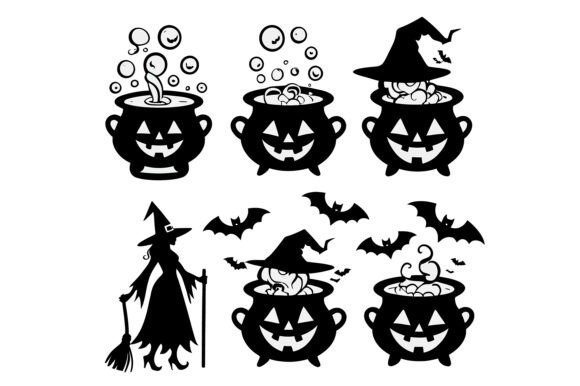
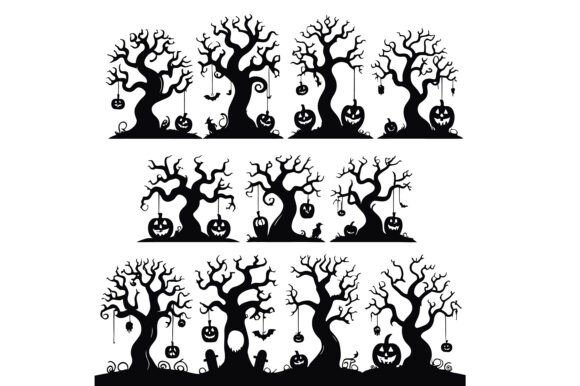
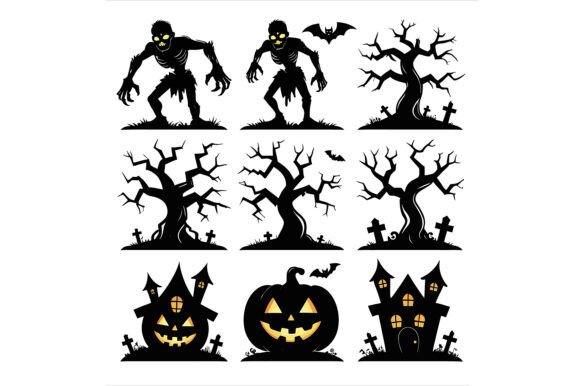
Halloween design often relies on the power of suggestion rather than explicit detail. This is where Spooky Halloween Silhouettes become an invaluable asset for any creative professional. By stripping away color and texture to focus purely on shape, these illustrations evoke a sense of mystery and atmosphere that resonates deeply with audiences during the autumn season. Whether you are designing a limited-edition t-shirt, crafting a digital invitation, or creating educational materials for a classroom, the versatility of high-quality vector art allows you to maintain visual consistency while adapting to various formats.
The core appeal of this specific collection lies in its technical foundation. Unlike raster images that degrade when enlarged, these assets come as fully editable EPS vector files. This means you can scale a silhouette from a tiny icon on a social media post to a massive mural on a warehouse wall without ever losing clarity. The ability to resize without quality loss is not just a convenience; it is a necessity for modern multi-channel marketing and production workflows. When paired with a high-resolution JPEG for quick previews or immediate use, you have a complete toolkit that bridges the gap between rapid prototyping and professional print-ready output.
Understanding the Power of Silhouette Design
Silhouettes work because they engage the viewer's imagination. A detailed illustration tells the audience exactly what to see, but a silhouette invites them to fill in the gaps. In the context of Halloween, this psychological trigger is particularly effective. A dark shape against a moonlit background instantly conjures feelings of suspense and fun without needing complex rendering. This makes Spooky Halloween Silhouettes ideal for branding elements where simplicity and recognition are paramount.
From a design perspective, silhouettes offer a clean aesthetic that pairs well with bold typography and vibrant accent colors. Because the shapes are solid and distinct, they cut through visual noise, making them perfect for logos, stickers, and apparel graphics. The originality of this illustration set, created by refining AI-generated concepts into precise vector paths, ensures that the lines are smooth and the geometry is sound. This level of craftsmanship saves hours of manual tracing and editing, allowing you to focus on composition and layout rather than fixing jagged edges.
Practical Applications for Creators and Businesses
The utility of these vector files extends far beyond simple decoration. For entrepreneurs running print-on-demand businesses, having a library of scalable graphics is essential. You can apply these spooky figures to t-shirts, hoodies, mugs, and tote bags. The clean lines of the EPS format ensure that the ink transfer remains crisp, even on textured fabrics. When designing apparel, consider how the silhouette interacts with the garment's seams and folds. Placing a large, central figure on the chest creates a statement piece, while smaller repeated patterns can add subtle thematic flair to sleeves or hems.
For marketers and bloggers, these assets serve as excellent content enhancers. Use the JPEG version for quick blog headers, email newsletters, or social media stories to announce seasonal promotions. The instant recognizability of a pumpkin, ghost, or haunted house silhouette helps establish a cohesive visual theme across your digital platforms. Consistency is key in branding, and using the same graphic style across different touchpoints reinforces your message and builds familiarity with your audience.
Crafting DIY Projects and Educational Materials
Hobbyists and educators will find these files equally transformative. In a classroom setting, high-contrast black-and-white images are perfect for coloring activities. Teachers can project the vectors onto a screen or print them out for students to color, fostering creativity while teaching about the holiday's history or traditions. The scalability allows for everything from small bookmarks to large bulletin board displays.
DIY crafters can utilize the EPS files to cut vinyl for decals, stencils for painting, or templates for paper cutting. Because the file is fully editable, you can modify the outlines to fit specific machine requirements or adjust the size to match your material constraints. Imagine creating custom window clings for your home or office, or designing unique scrapbook layouts that tell a story. The flexibility of the vector format means you are not limited to the original orientation; you can flip, rotate, and combine multiple elements to create entirely new compositions.
Customizing Your Design Workflow
One of the greatest advantages of this product is the ability to customize details to suit your specific design needs. While the base illustration provides a strong starting point, true creativity comes from adaptation. You might want to change the color palette to match your brand guidelines. Perhaps you need a deep purple instead of the traditional orange, or a stark white silhouette against a midnight blue background. With vector software, changing these attributes is a matter of seconds.
You can also manipulate the environment around the silhouette. Add gradients, textures, or lighting effects to give the flat shape depth and dimension. For instance, adding a glow effect behind a ghost silhouette can make it appear ethereal, while a rough texture overlay on a haunted house can give it a gritty, horror-movie vibe. These modifications allow you to tailor the mood of the image, whether you are aiming for cute and whimsical or dark and eerie.
When working with multiple users or teams, organization is crucial. Keep your master EPS files separate from your modified versions to preserve the original data. Name your layers clearly within the vector software so that collaborators know which elements are the main subject and which are background details. This practice ensures that future edits remain efficient and that the integrity of the design is maintained throughout the production process.
Strategic Use Across Different Formats
Different platforms require different approaches. For web graphics, file size matters. While the EPS file is perfect for editing, the included high-resolution JPEG is optimized for screen display. It loads quickly and renders sharply on all devices, ensuring your website visitors have a seamless experience. However, if you plan to print physical merchandise, always start with the vector source. Printers require high DPI (dots per inch) resolution, and scaling up a JPEG can result in pixelation that ruins the final product.
Consider the context of your audience. If you are targeting families, lean towards playful interpretations of the silhouettes—think friendly ghosts and smiling pumpkins. For an adult-oriented event or a horror-themed brand, you might choose more menacing poses or sharper angles. The adaptability of these Spooky Halloween Silhouettes allows you to pivot your creative direction based on who you are trying to reach, ensuring your message lands effectively.
Ultimately, the value of this design resource lies in its balance of inspiration and practicality. It removes the technical barriers of creating high-quality graphics from scratch, empowering you to execute your vision with confidence. Whether you are a seasoned designer looking to streamline your workflow or a hobbyist eager to create something unique, these editable vector files provide the foundation for memorable, professional-grade Halloween projects. By leveraging the strengths of both the EPS and JPEG formats, you can maximize your creative potential while maintaining the highest standards of quality across every medium.